Jan 4, 2026
The #1 Mistake People Make When Reverse Video Searching

We’ve built a reverse video search engine that works pretty well. Of course, sometimes you don’t find the video you’re looking for. That usually happens because the clip truly isn’t anywhere on the internet yet, or it’s very new and hasn’t had the time or traction to get indexed.
But when results do show up, they’re usually very accurate.
Unless you’ve made the number one mistake we see on our site.
That mistake is uploading clips that contain extra stuff that isn’t part of the actual footage you’re trying to identify.
Quick map (what’s inside):
What we mean by “extra stuff”
What do we mean by that? There can be more cases, but in practice it’s almost always one of these two:
- You made a phone screen recording of the video you’re trying to search.
- You downloaded the video directly from TikTok and kept the TikTok ending in.
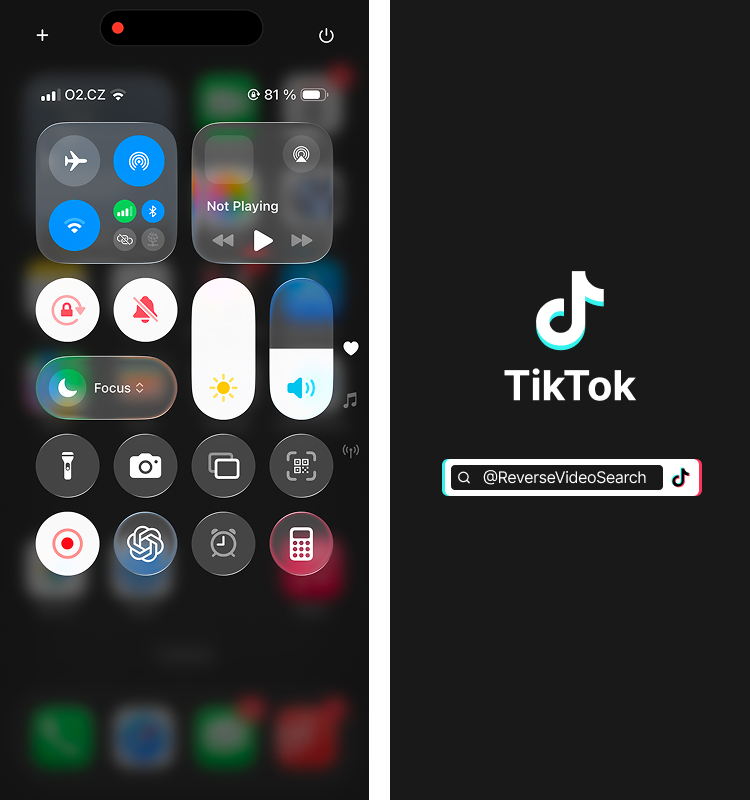
The screen recording case is probably the most common one.
When you screen record a clip, your phone UI gets baked into the video. Status bar, battery, time, recording indicator, sometimes even the moment when you manually press “stop” in the settings. From a human point of view, that feels irrelevant.
From a reverse video search point of view, it’s a problem.
There are no videos on the internet that contain both the clip you’re looking for and your phone UI at the same time. So the reverse video search engine gets misled. On top of that, those stop-recording frames, especially Apple UI ones, are everywhere online. Tutorials, screenshots, guides, help pages.
So instead of matching your actual footage, the search locks onto the UI and you suddenly get tons of completely unrelated results.
TikTok clips are a very similar story.
TikTok often adds a few seconds at the end of a video by default. The original uploader’s name, the TikTok logo animation, the familiar “tudum” sound. That ending screen is also all over the internet.
If you keep that part in the clip when reverse video searching, the engine once again gets misled. It starts matching the TikTok logo screen instead of the content of the video, and the results suddenly make no sense.
Now talking about TikTok, if you are a content creator check this to learn more about TikTok reverse video search.
How to fix it fast
These two cases are by far the most common ones. But it probably goes without saying that anything that doesn’t actually belong to the clip itself shouldn’t be included when uploading a video to a reverse video search tool. Overlays, UI, end screens, playback controls, all of that just adds noise.
The fix is very simple: crop the bad parts out and move on with the search.
That alone fixes most “reverse video search doesn’t work” cases we see.